
Finora – Making money management feel effortless.
Product design · Fintech · Mobile application concept
Project overview
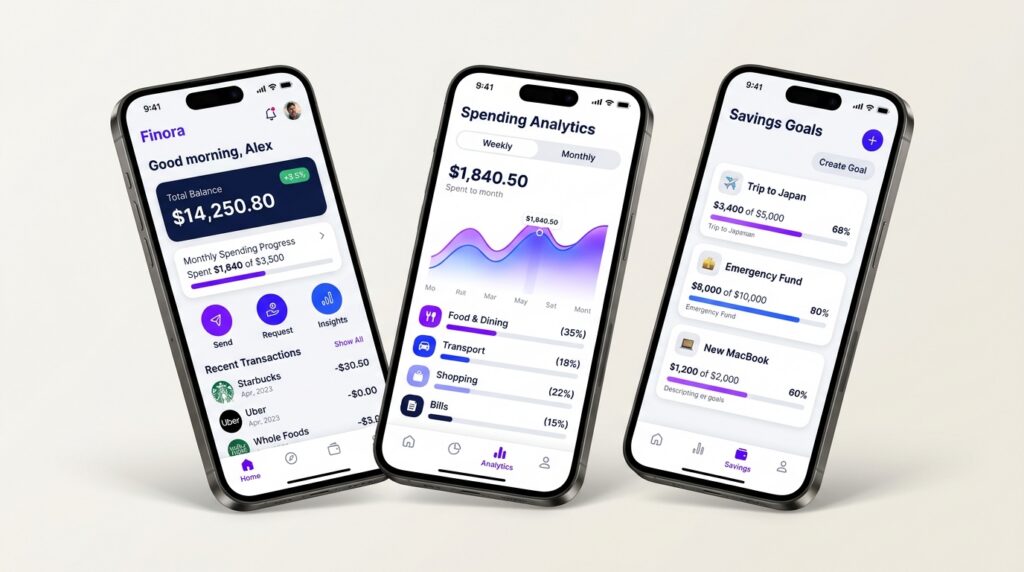
Finora is a personal finance mobile app concept designed to help young professionals track expenses, manage budgets, and build better savings habits.
Role: UI/UX Designer
Platform: Mobile app
Tools: Figma
Timeline: 4 weeks
Problem statement
Managing personal finances can be difficult when users struggle to track daily expenses and understand their spending habits.
Why it matters: Poor spending awareness can make saving difficult.
Target users: Young professionals managing monthly incomes and expenses.
Existing alternatives: Banking apps, spreadsheets, and budgeting apps.
Opportunity: Make financial information easier to understand and manage.
Problem solving
I focused on three main user needs:
- Understand their current financial situation.
- Identify where their money goes.
- Track budgets and savings goals.
The solution was a simple dashboard supported by dedicated spending, budgeting, and savings screens.
Research and insights
I explored common budgeting challenges and reviewed existing finance apps to understand how they present financial information.
Key design opportunities:
- Make important financial information easy to find.
- Use simple charts to communicate spending patterns.
- Make savings progress visible.
- Reduce unnecessary complexity.
* These are initial design hypotheses, not verified research findings.
Ideation and process
Step 1 — Explore: Identified the main information users need when managing money.
Step 2 — Structure: Organized the app into Home, Analytics, Budgets, Savings, and Settings.
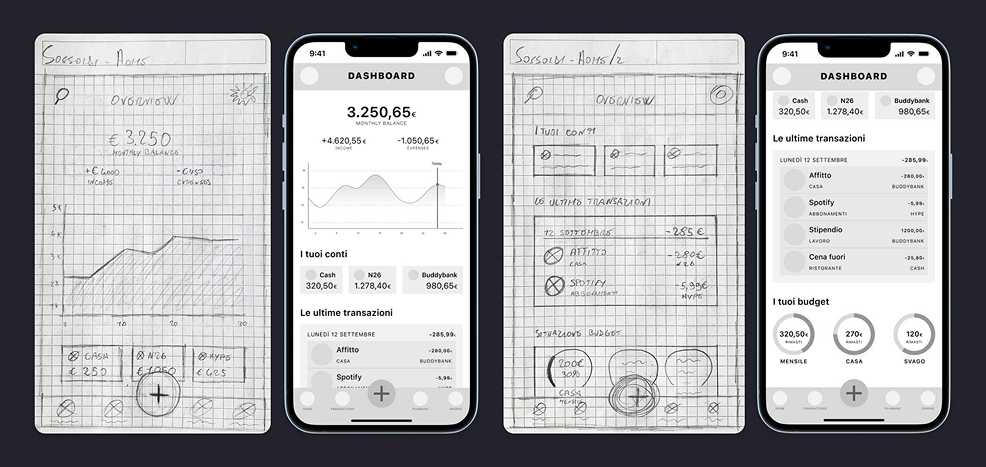
Step 3 — Wireframe: Created simple layouts to establish information hierarchy and navigation.
Step 4 — Design: Used clean typography, neutral backgrounds, and blue-violet accents to create a modern fintech interface.
Step 5 — Refine: Focused on readability, consistency, and making important actions easy to find.
Design execution
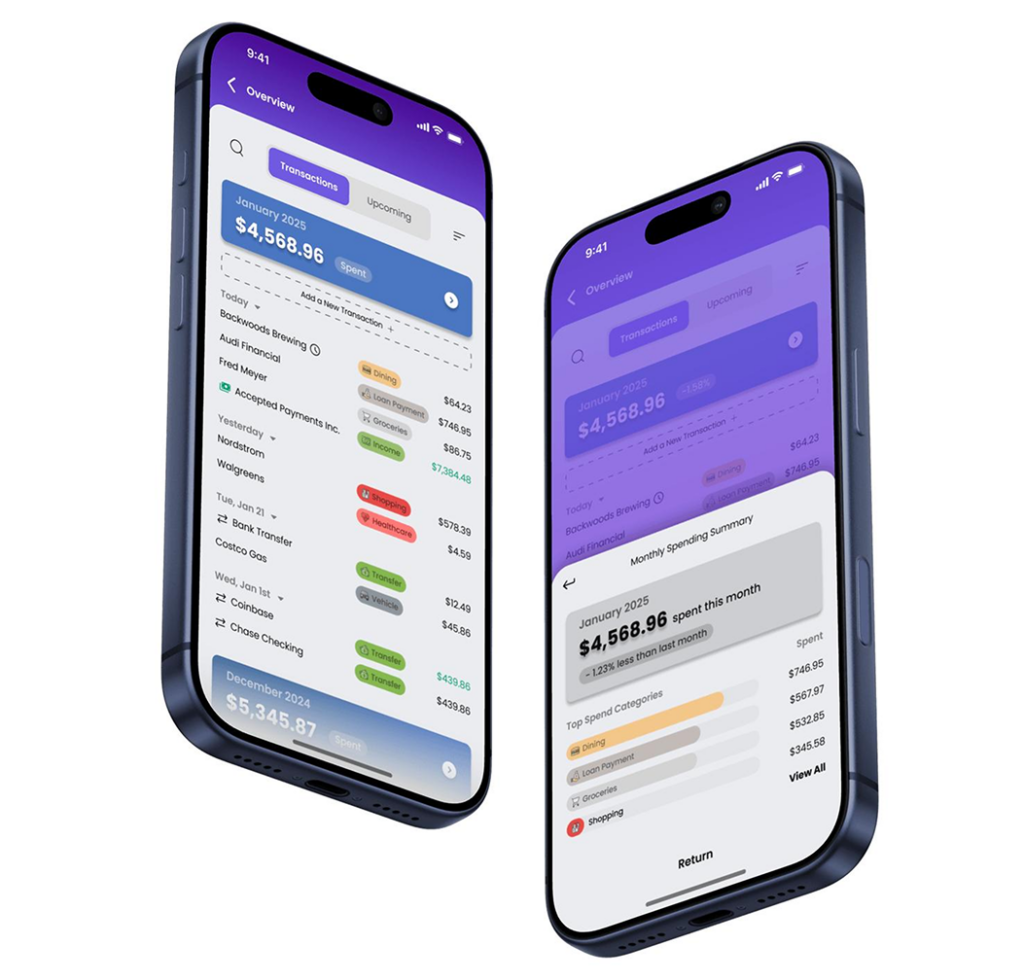
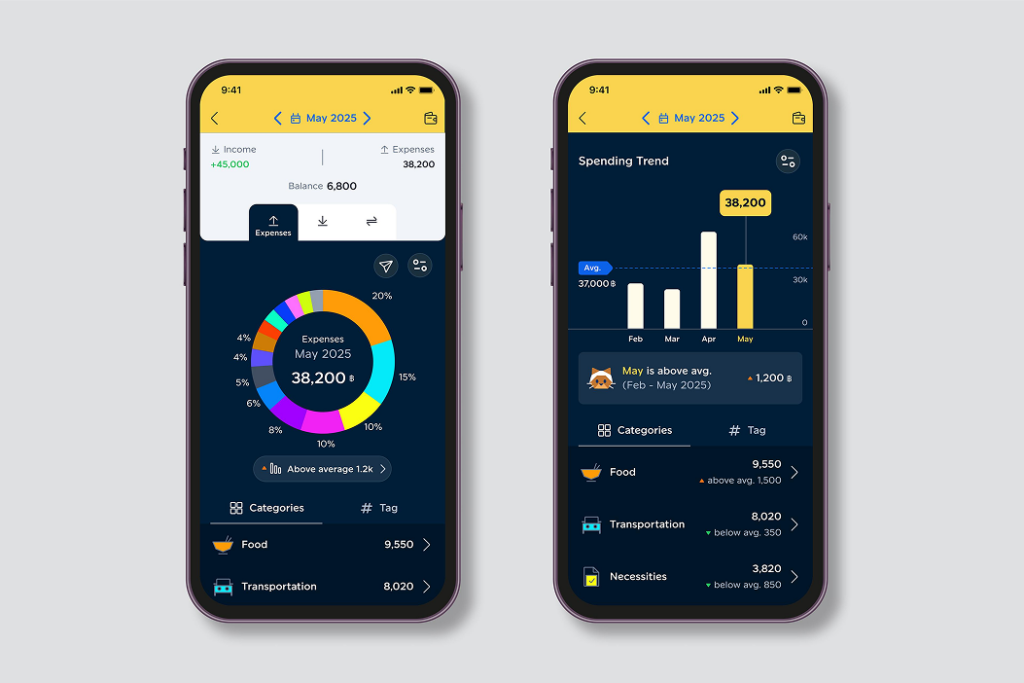
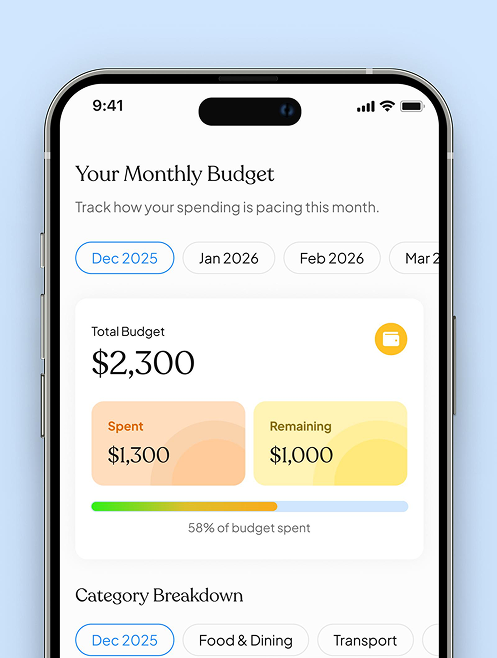
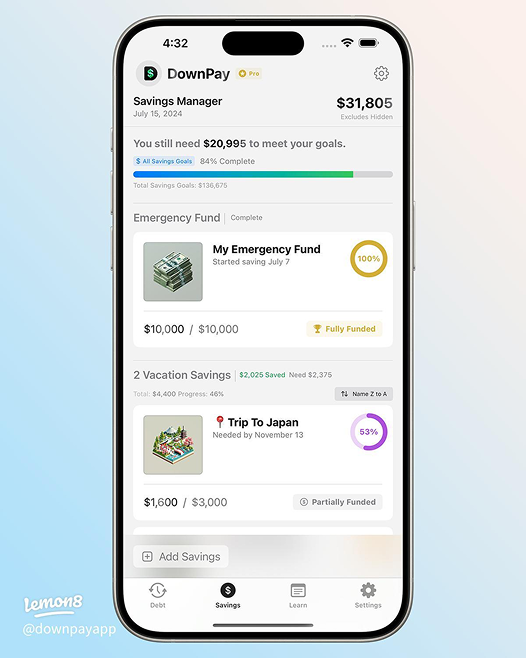
The final concept includes five key screens:
- Home: Balance, spending summary, and recent transactions.
- Analytics: Expense categories and spending trends.
- Budgets: Category limits and remaining amounts.
- Savings: Financial goals and progress indicators.
- Settings: Account, security, and notification preferences.
Usability testing
I would test the prototype with users to evaluate whether they can:
- Find their monthly spending.
- Identify their highest spending category.
- Check their remaining budget.
- Understand their savings progress.
Feedback would help identify navigation issues and improve the interface.
* Testing results are not yet available.
Final outcome and learnings
Finora explores a simpler way to manage personal finances by bringing spending, budgeting, and savings into one organized experience.
Key learnings:
- Priorities useful information over unnecessary features.
- Use visual hierarchy to make complex information easier to understand.
- Validate design decisions through usability testing.
* Testing results are not yet available.
Let’s build something together!
Thanks for reading through my process. If you’d like to talk about this project or explore full-time UI/UX opportunities, feel free to reach out.


